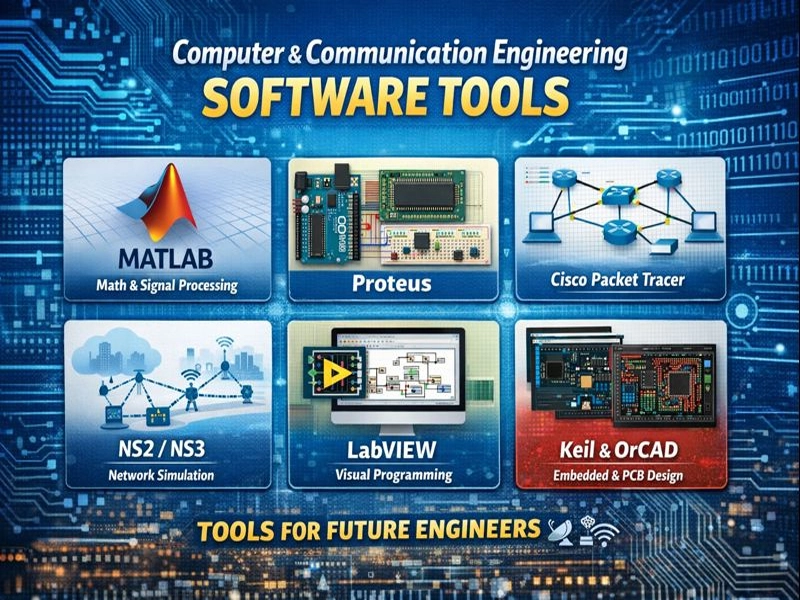
Computer and Communication Engineering is all about hardware, software, networking, and smart systems. To really understand this field, engineers depend on powerful tools that help them simulate, design, test, and analyze real systems before building them in real life.
Here are the top software tools every computer & communication engineer should know 👇
MATLAB – Math, Signals & Smart Algorithms
MATLAB is a go-to tool for signal processing, communications, and algorithm development. Engineers use it to analyze signals, design filters, and simulate communication systems easily.
Why MATLAB rocks:
- Fast signal and data analysis
- Perfect for communication systems & DSP
- Great visualization and plotting tools
System Requirements for MATLAB R2024b
- Operating System: Windows 7/8/10
- RAM: 2 GB
- Hard Disk: 2 GB
- Processor: Intel Dual Core or higher processor
Proteus – Circuit Simulation Made Easy
Proteus helps engineers simulate electronic circuits and microcontroller projects before hardware implementation.
Best for:
- Digital & analog circuit simulation
- Microcontroller projects (Arduino, PIC, AVR)
- Students and beginners in hardware design
System Requirements for Proteus Professional 2025
- Operating System: Windows 7/8/10
- RAM: 2 GB
- Hard Disk: 2 GB
- Processor: Intel Dual Core or higher processor
Cisco Packet Tracer – Learn Networking Like a Pro
Cisco Packet Tracer is an amazing tool for learning computer networks. It allows you to build virtual networks and test routing, switching, and security concepts.
Why students love it:
- Easy and interactive interface
- Perfect for CCNA learning
- Real network behavior simulation
System Requirements For Cisco Packet Tracer 2023
Before you start Cisco Packet Tracer 2023 free download, make sure your PC meets minimum system requirements.
- Operating System: Window XP/Vista/7
- Memory (RAM): 256 MB of RAM required
- Hard Disk Space: 250 MB of free space required
- Processor Intel Dual Core processor or later.
NS2 / NS3 – Network Simulation for Research
NS2 and NS3 are powerful open-source tools used for network research and advanced simulations.
Used for:
- Wireless and wired network simulation
- Academic research and thesis work
- Performance analysis of protocols
LabVIEW – Visual Programming Power
LabVIEW uses a graphical programming approach, making it perfect for data acquisition, control, and testing systems.
Why it’s unique:
- Visual block-based programming
- Hardware integration
- Widely used in labs and industry
NI LabVIEW 2023 Technical Setup Details
- Software Full Name: NI LabVIEW 2023 Free Download
- Setup File Name: NI_LabVIEW_NXG_5.1.rar
- Full Setup Size: 3.6 GB
- Setup Type: Offline Installer / Full Standalone Setup
- Compatibility Architecture: 32 Bit (x86) / 64 Bit (x64)
- Latest Version Release Added On: 06th Jan 2024
- Developers: NI LabVIEW
System Requirements For NI LabVIEW 2023
Before you start NI LabVIEW 2023 free download, make sure your PC meets minimum system requirements.
- Operating System: Windows: XP/Vista/7/8/8.1/10
- Memory (RAM): 2 GB of RAM required.
- Hard Disk Space: 4 GB of free space required.
- Processor: Intel Dual Core processor or later.
Keil – Embedded Systems Development
Keil is essential for embedded systems engineers working with ARM and microcontrollers.
Best features:
- Professional IDE for firmware development
- Debugging and simulation tools
- Used in real industrial embedded projects
OrCAD – Professional PCB & Circuit Design
OrCAD is used for schematic design, simulation, and PCB layout.
Why professionals use OrCAD:
- Accurate circuit simulation
- Reliable PCB design tools
- Industry-standard workflows
Who Should Learn These Tools?
These software tools are perfect for:
- 💻 Computer engineering students
- 📡 Communication engineering students
- 🤖 Embedded systems engineers
- 🌐 Networking learners and professionals
Final Thoughts
Computer & Communication Engineering is a fast-moving field, and these tools help you stay ahead. Whether you’re analyzing signals, building networks, designing circuits, or writing embedded code, these software tools turn theory into real engineering skills.
If you want to level up your engineering career, mastering these tools is a smart move 🚀